I have a folder on my Mac called “convert these.” It’s full of HEIC photos from my iPhone that I needed as JPGs and never got around to fixing. Every time I wanted to share one, I’d run it through some sketchy website or fight with Preview. Not catastrophic, just constantly annoying.
So I built a tool to fix it, then iterated until it was something I’d actually want to download. The result is Plink: a free, tiny macOS menu bar app. Drag HEIC photos in, get JPGs out. That’s it. It took a few weeks of on-and-off evenings, and I wrote almost no code.
If you read my What Is A Marketing Engineer? post, where I argued that “you can just do that,” Plink is proof.
It started as a web app
My first attempt was a single HTML file. Local-first, no uploads. You drag your photos in, the browser converts them, you download the results. Working in an afternoon.
Then friction started accumulating. The first HEIC library choked on modern iPhone files (newer iPhones shoot HEIC with HEVC encoding), so I swapped in a WASM-based converter. Batch downloads triggered browser throttling and some files silently dropped, so I bundled everything into a single ZIP. The drag-drop zone felt awkward, so I made the whole window a drop target.
Better each time. But I kept hitting the same wall: it felt like a web app. Because it was one.
Making it a Mac app
At some point I asked a simple question: could this be a menu bar app instead?
The answer was yes, and the implications were immediate. No Electron, no bundled browser runtime. macOS already reads HEIC natively through a framework called ImageIO, so instead of shipping a WASM converter I could just ask the operating system to do the work. A native AppKit app in Swift, about 200 KB, sitting in your menu bar. Click it, drag photos in, get JPGs out. Nothing leaves your machine.
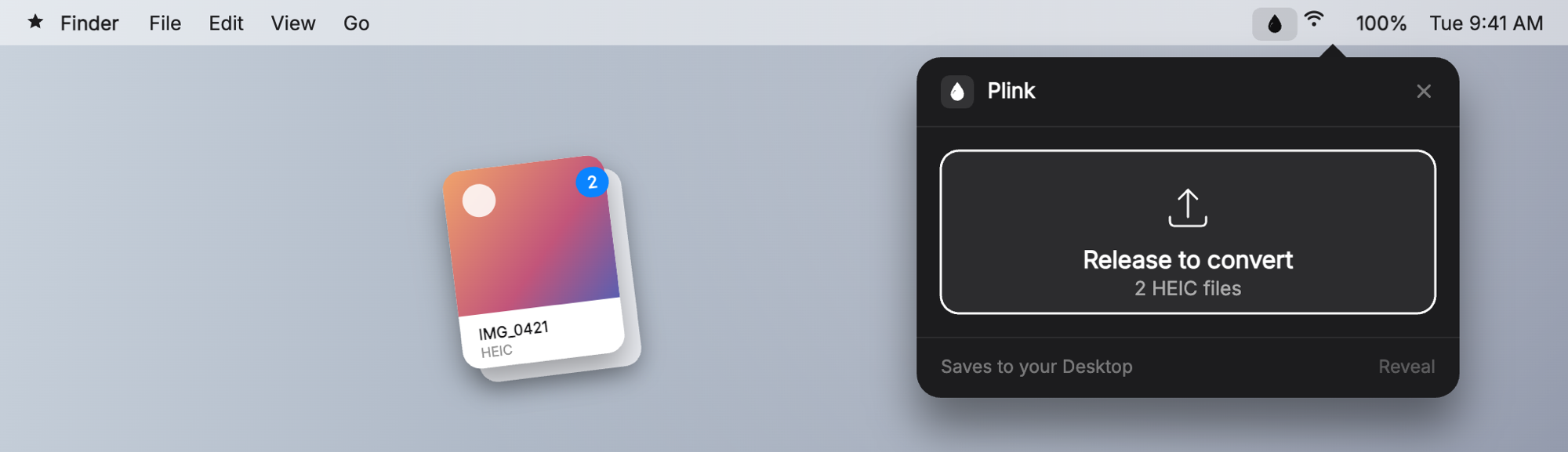
I had never written Swift. I used Codex to build it, and the first working version appeared faster than I expected. Drag-drop, batch conversion, even a Finder Quick Action to right-click and convert without opening the app. The functionality was there.
The design was rough. A four-color rainbow gradient, muddy buttons, text sizing that looked like a first-day Xcode tutorial. It worked, but I’d have been embarrassed to show anyone. That gap between “working code” and “shippable product” is real, and I underestimated it every time.
Two bugs that weren’t obvious
Two technical walls were worth the scar tissue.
The first was an ImageIO trap. Copying HEIC metadata straight into the output JPEG produced a file that looked like a JPEG but was basically just metadata with almost no image data. The fix was to decode the HEIC frame into a CGImage first, then write that as a JPEG. One extra step.
The second was an “open with” crash. When someone right-clicked a file to open it with Plink, the OS handed over the file before the menu bar item had finished initializing, the app crashed, and macOS helpfully reported “cannot open files in HEIC format.” (It could. It just wasn’t ready yet.) Apple’s APIs are powerful, but get the order of operations slightly wrong and the error message points you in completely the wrong direction.
The design took a few rounds
Once the functionality was solid, I moved to Claude Code to clean up the codebase, get it on GitHub, and fix how it looked. The cleanup went fast. The design took rounds.
First I replaced the rainbow with a calm indigo-to-violet gradient. Better, still not right. The buttons went from boxy rectangles to capsule pills to icon-only circles. Each iteration improved things, but nothing felt finished.
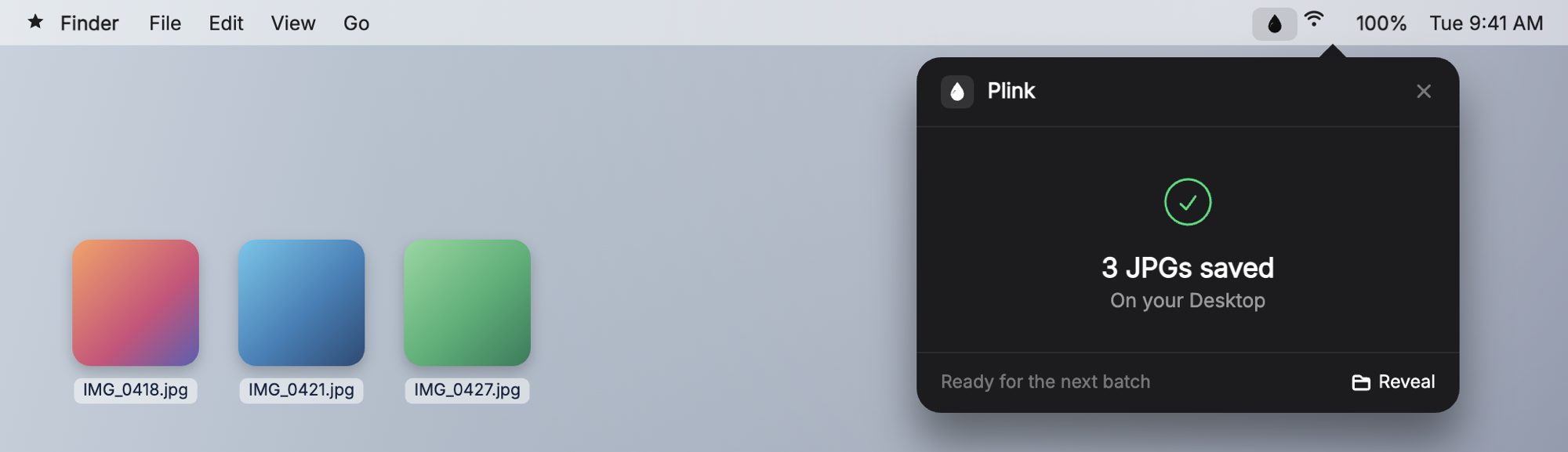
The shift happened when I stopped asking Claude to improve what existed and told it to start over. Design from scratch. Make it beautiful. What came back was a dark “notification card” UI: a graphite surface, hairline dividers, a real progress bar, distinct states for idle, converting, done, and error. It looked like something Apple might actually ship.
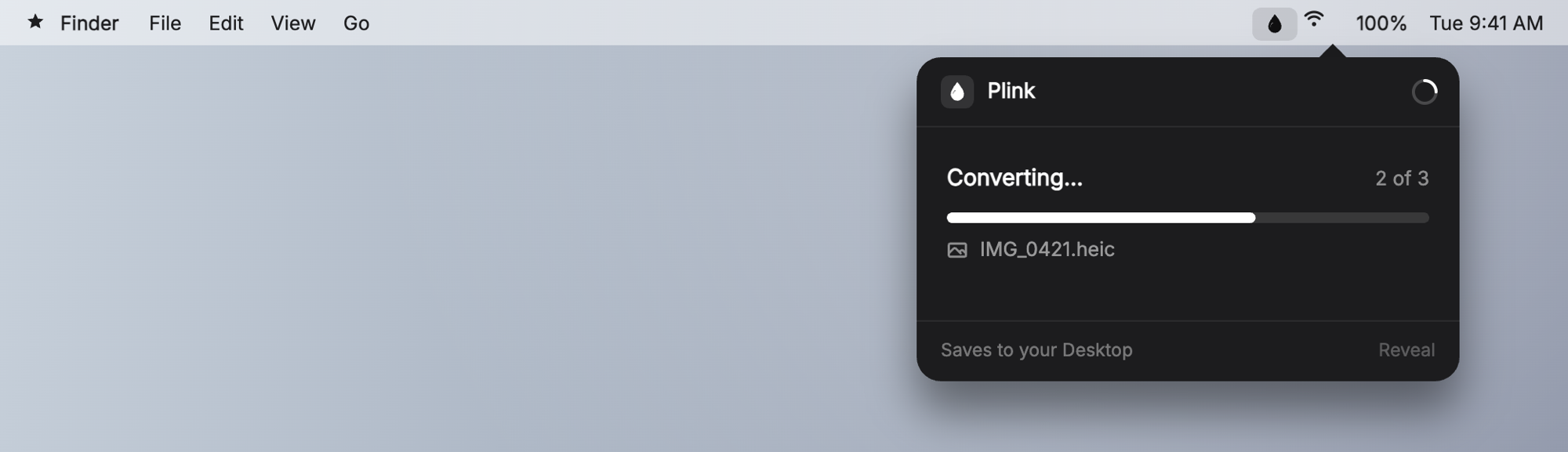
That clarified something. Design is a skill you can direct, not just commission. “Make it beautiful, here are the constraints, here’s what I don’t like” got me pro-grade work in a few cycles. I didn’t need to know how to design it. I needed to know what I wanted. The icon went the same way: a white “sheen” water-droplet on a dark rounded square, three revisions to get the shape and catchlight right.
Naming it, and the $99 part
The placeholder name was “HEIC Drop.” I wanted something short, playful, and available as a domain. Everything obvious was taken, partly because “plink” is a real word. Then I landed on it: the sound a drop makes when it hits something, and you drop files in. justplink.com was free. Done.
The next part nobody warns you about: getting a Mac app to where strangers can download it without scary warnings. macOS Gatekeeper blocks apps from unidentified developers. Skip signing and notarization and every download ends with a dialog saying Apple can’t verify the app. Most people close it and move on. That’s not a release.
So I bought an Apple Developer Program membership ($99/year) for a Developer ID certificate. Getting it meant making a certificate signing request in Keychain Access, submitting it through Apple’s portal, and then discovering the downloaded cert showed up as “not trusted” until I installed Apple’s intermediate certificate, from a page you have to know to find.
After that I wired signing and notarization into the build and CI. Credentials live as encrypted GitHub secrets, and every version tag triggers a build that signs the binary, submits it to Apple, staples the notarization ticket, and publishes a release. The first notarization took 45 minutes and I thought it was broken. It wasn’t. Apple runs extra checks on brand-new developer accounts. Every submission after took under a minute.
v1.0.0 shipped: signed, notarized, one-click download, zero warnings. The code was the easy part. Distribution was the hidden boss fight.
Shipping is a loop
Once the pipeline existed, releasing was trivial: git tag v1.0.1, push, done. So I kept using Plink and kept finding things to fix. v1.0.1 made the icon consistent across states and opened the popover on launch. (I spent a confusing few minutes convinced the menu bar icon had disappeared. It was on my other monitor. Status bar icons live on one screen.) v1.0.2 added a custom destination folder so JPGs didn’t always land on the Desktop, and fixed a bug where the header buttons, including Quit, were silently invisible in some display configs.
Each release surfaced a new platform quirk: NSPopover collapsing to a sliver, Auto Layout constraints dropping without explanation. Polish is a long tail of small weird fixes. There’s no moment where you finish. You just stop finding things that bother you enough to fix.
The website
I put up a landing page on Cloudflare Pages. One detour worth admitting: I asked for an FAQ and better responsiveness, and the first attempt rebuilt the whole site in the wrong theme. I reverted it, kept my exact design, then translated it into clean responsive HTML with a real FAQ, Open Graph and Twitter metadata, favicons, and a download button wired straight to the latest release. “HEIC in, JPG out” at the top, “Made by Nick Lafferty” at the bottom.
What I learned
AI gets you a working prototype fast, sometimes in one shot. But taste, naming, icon, and polish still need a human directing the iterations. The AI does the work. You decide when it’s right. That includes design now too: “start over and make it beautiful” got me further than a dozen micro-edits to something wrong from the start.
The unglamorous 80% is distribution. Signing, notarization, Gatekeeper, CI, domain, landing page. That’s what turns “code on my Mac” into “an app people can actually download,” and it’s where most side projects quietly stop.
Tools are interchangeable. Momentum isn’t. I used Codex to start and Claude Code to finish. And shipping is a loop, not a moment. Plink is better now than when I first released it, and it’ll be better in a month than today.
I wrote in What Is A Marketing Engineer? that you don’t need to learn to code, you need to start building systems instead of completing tasks. You can just do that. Plink is what that looks like followed all the way through.
It’s free and open source. Try it at justplink.com, the code is on GitHub, and if you’re building something similar, find me on LinkedIn. I’d genuinely like to hear what you’re working on.